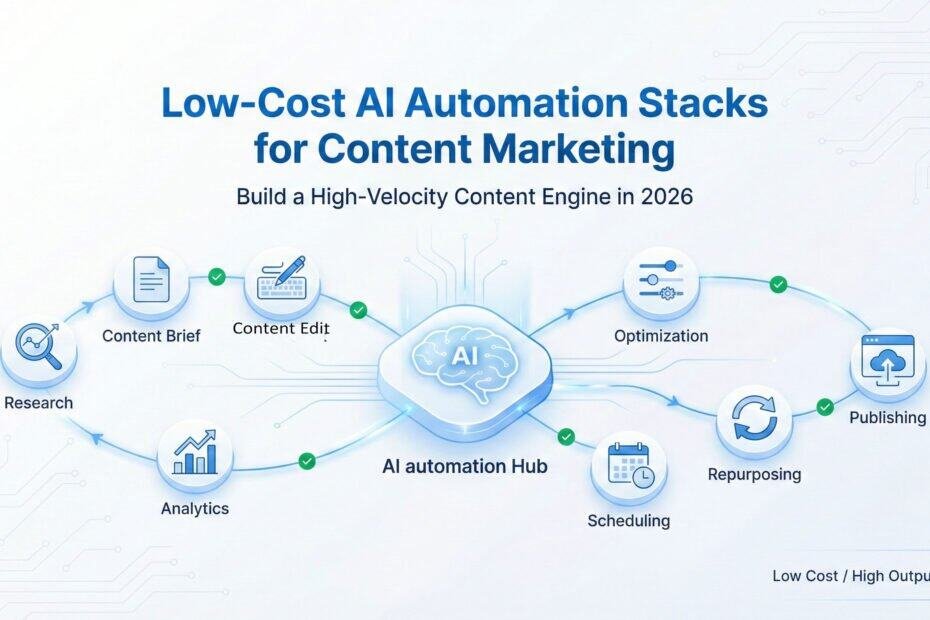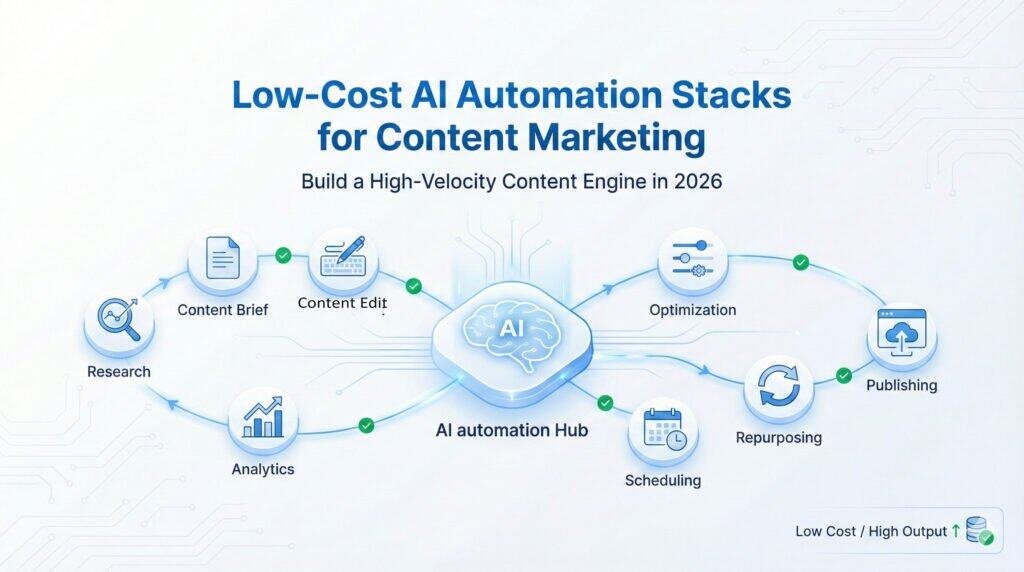
How to Build a High-Velocity Content Engine Without Expensive Tools
Introduction – Why Content Marketing Now Requires Automation
In the Content Marketing Master Guide 2026, we earlier defined the principles of modern content: clarity, structure, depth, and strategic consistency. Our first cluster post, AI-Powered Content Marketing: How Small Businesses Can Win Against Giants in 2026, demonstrated how AI shifts competitive power by amplifying clarity and execution speed.
This second cluster entry goes deeper — from strategy to systems. Today, the most effective content marketing programs are no longer run manually. They are run by lean, low-cost AI automation stacks that do the heavy lifting:
- Researching field
- Suggesting topic and form
- Generating briefs
- Reviewing content
- Repurposing for different platforms
- Scheduling posts
- Optimizing for platforms
- Monitoring decay
- Tracking performance
- Refreshing, when needed
- Updating internal links
- Supporting AIO visibility across platforms
Together, these automated tasks remove the operational burden that slows content teams down.
The companies that will perform best in 2026 are not those that publish the most, but those that automate friction away. This guide shows you exactly how to build that system — affordably, cleanly, and without technical complexity.
1. Why Content Marketing Needs an Automation Stake – Not Just Strategies
Content strategy defines what to create and why. Automation defines how to create consistently, how to distribute optimally, and how to sustain performance over time.
Most SMBs struggle in content marketing, not because their ideas are weak, but because their execution system collapses. They lack the hands to generate ideas, produce content, distribute it, repurpose as necessary, observe performance, monitor decay, etc.
When content is handled manually, even skilled teams struggle to maintain consistency. This is where friction appears most visibly. When these small inefficiencies compound, they break the entire content pipeline.
Typical problems they face:
Here is what typically breaks inside manual content workflows:
- Content ideas stored everywhere
- Briefs created inconsistently
- Drafts delayed due to unclear workflows
- Content gets published but not distributed
- No systematic repurposing
- No SEO and AIO alignment
- No decay monitoring
- Slow refresh cycles
- Content clusters left incomplete
- Internal linking done manually
- Ranking drops are noticed too late
- Non-systemized content workflows
These are not content problems – they are operations problems.
How can AI help? AI changes the execution layer by:
- Removing repetition
- Accelerating research
- Eliminating scheduling burden
- Automating repurposing
- Assisting in optimization
- Alerting on decay
- Keeping the content engine alive
What does this create?
Content velocity increases. Consistency stabilizes. Performance compounds.
And this can be achieved with low-cost stacks, not expensive enterprise tools.
2. The Four Layers of the AI Automation System in Modern Content Marketing
The following is the framework that powers the top-performing content programs in 2026. Each layer is simple and low-cost. Together, they form a high-speed content engine.
LAYER 1 — Integration & Workflow Automation (Your Content OS Spine)
This is the backbone of your content operations. It connects your tools and automates repetitive tasks.
Key responsibilities:
- Content calendar automation
- Research automation
- Brief generation coordination
- Writer assignment
- Draft notifications
- Publication workflows
- Repurposing triggers
- Distribution workflows
- Reporting cycles
- Decay detection triggers
Tools (low-cost + reliable):
- Zapier — easiest automation platform
- Make (Integromat) — visual workflows + deep logic
- Pabbly Connect — unlimited tasks at a low cost
- n8n — open-source, flexible
- Notion Automation + Buttons — internal workflows
- ClickUp Automations — built-in content ops engine
Automation must begin with this layer. Everything else depends on it.
LAYER 2 — AI-Assisted Content Creation & Repurposing
This is where the creative engine is enhanced with AI. Not replacing humans. But amplifying them.
What this layer automates:
- Topic research
- Topic clustering
- SERP (Search Engine Results Page) analysis
- Brief generation
- Outline creation
- Competitor scanning
- Draft polishing
- Optimization
- Rewriting for clarity
- Repurposing into short formats
- Generating social posts
- Converting blogs → video scripts
- Converting blogs → newsletters
Tools for this layer:
Research & Topic Clustering
- Semrush Topic Research
- Frase
- MarketMuse
- NeuronWriter
- Perplexity AI
- ChatGPT Advanced Search
- Claude Opus (context-heavy research)
Content Creation and Optimization
- ChatGPT
- Claude
- Gemini
- Writer.com
- Jasper (useful for teams)
- Surfer SEO
- NeuronWriter
- Grammarly
Repurposing
- Taplio (LinkedIn repurposing)
- Repurpose.io (cross-format automation)
- MissingLettr (drip content campaigns)
- Tella / Descript (video conversion)
- Publer AI (auto-transform posts)
Done right, this layer can save 40–60% of writing time while improving quality.
LAYER 3 — Content Distribution & Multi-Channel Scheduling
Publishing is only step one. Distribution and multichannel scheduling is step two, and very crucial. Most SMBs fail because they:
- Post once and forget
- Skip multi-channel distribution
- Don’t schedule reshares
- Don’t use automation for syndication
- Don’t use consistent content formats
- Don’t nurture communities
This layer fixes that.
What this layer automates:
- Instant distribution to social platforms
- Reshare cycles every 30, 60, 90 days
- Newsletter inclusion
- YouTube short scripts
- LinkedIn carousels
- Instagram content variations
- Facebook page + group cross-posts
- Medium/Social syndications
- Forum posting assistance
Tools (low-cost, reliable):
- Publer — multi-channel, powerful scheduling
- SocialBee — category-based queues
- Buffer — clean + simple
- Hypefury — X/Twitter-focused
- Later — great for visual content
- MissingLettr — drip campaigns
- Taplio — LinkedIn automation
This layer ensures your content reaches everywhere your audience is.
LAYER 4 — Performance Monitoring & Decay Prevention
Once distribution is systemized, the next critical step is ensuring your content maintains performance over time. This layer keeps your content engine alive after publishing.
What this layer tracks:
- Keyword ranking movement
- Content freshness
- Competitor updates
- Cluster strength
- Internal link gaps
- AIO readiness
- CTR trends
- Engagement drops
- New SERP features
- Content cannibalization
- Decayed pages
- Pages needing update
- AI Overview signals
Without this monitoring layer, even great content loses visibility simply because it wasn’t refreshed at the right time.
Tools:
- Semrush — keyword tracking + audits
- Ahrefs — content decay + link gaps
- Google Search Console — essential data
- Looker Studio Dashboards — free reporting
- Surfer Audit — content improvements
- ContentKing — real-time monitoring
- Animalz Revive — decay analysis
This is the most critical layer for sustained content performance. With the four layers defined, the next step is turning them into a practical automation system that SMBs can deploy immediately.
3. The Low-Cost Automation Stakes for Content Marketing
Now that the four layers are clear, let’s build the actual stack. Below is the complete automation architecture, redesigned specifically for content marketing.
3.1 The Content Automation Blueprint (Text Diagram)
IDEA → RESEARCH → BRIEF → DRAFT → OPTIMIZE → PUBLISH → DISTRIBUTE → REPURPOSE → RESHARE → MONITOR → REFRESHWe now automate every transition in this pipeline. To understand the value of automation clearly, let’s explore real examples of workflows that any content team can deploy without technical skills.
3.2 Automations to Build for Each Stage (Copy-Paste Workflows)
A. Topic → Research → Brief → Assignment
Trigger:Newtopic addedtoNotion or ClickUp
Action1: Run SERP analysis (AI)
Action2: Generate content brief (AI)
Action3:Addcompetitor headingstable
Action4:Createtask “Draft Article”
Action5: Assigntowriter
Action6:Notifywriter via email/Slack
This single workflow eliminates 20–40 minutes of manual coordination for every article. More importantly, it ensures every piece of content begins with a consistent strategic foundation.
B. Draft → Review → Optimization
Trigger:Writeruploadsdraft
Action 1:Runreadabilitycheck
Action 2:Runplagiarismcheck
Action 3:Runoptimizationaudit(Surfer/NW)
Action 4:Create“OptimizeDraft”task
Action 5:Notifyeditor
This automation prevents drafts from getting stuck in review cycles. It creates a predictable editorial rhythm, which is essential for high-volume publishing.
C. Publish → Repurpose → Social Content
Trigger:Articlepublished(WordPress→Automationtrigger)
Action 1:Extractkeypoints(AI)
Action 2:Generate8socialposts
Action 3:Generate1LinkedIncarouseldraft
Action 4:Generate1Twitter/Xthread
Action 5:Generate1newslettersummary
Action 6:Schedulesocialposts(Publer/SocialBee)
Action 7:Addto“Reshare30/60/90cycle”
This repurposing automation increases your content’s lifespan across platforms. It also enables multi-channel consistency without adding new manual work.
D. Publish → Syndication → Community Distribution
Trigger:ArticlePublished
Action 1:CreateMediumversion
Action 2:CreateLinkedInarticledraft
Action 3:GenerateRedditpostdraft
Action 4:GenerateQuoraanswertemplate
Action 5:Create“communitydistribution”task
Even the best content loses performance over time. Automation ensures you see decay before it becomes a ranking problem. To act on decay signals immediately, this refresh automation triggers corrective steps based on real-time ranking movement.
E. Ranking Drop → Automatic Refresh Pipeline
Trigger: Keyword dropsby>15% (Semrush/Ahrefs alert)
Action1: Pull the latest top competitors
Action2: Generaterefreshbrief (AI)
Action3:Add“RefreshArticle” task
Action4:Notifyeditor
Action5: Resubmit URLonupdate
This plan helps you avoid overwhelm by upgrading your content system layer by layer instead of trying to automate everything at once. It also ensures your team grows into the system gradually without friction.
F. Monthly Reporting Automation
Trigger:1stofeverymonth
Action 1:PullGSCdata
Action 2:PullSemrushdata
Action 3:Pulltop-performingposts
Action 4:Pulldecayedcontent
Action 5:Generatemonthlycontentreport(AI)
Action 6:Emailtofounder/team
Once this automation stack is in place, your content engine becomes measurable, repeatable, and scalable — without adding team members.
4. Low-Cost Stool Stacks for Content Marketing (2026)
Complete, categorized, low-cost stack recommendations:
4.1 Content Research Stack
- Semrush Topic Research
- Ahrefs Keywords Explorer
- Perplexity AI
- Frase/MarketMuse
- ChatGPT o1/o3 + GPT Vision
- Claude Opus
4.2 Content Creation + Optimization Stack
- ChatGPT / Claude / Gemini
- Surfer SEO
- NeuronWriter
- Grammarly Premium
- Writer.com
4.3 Content Repurposing Stack
- MissingLettr (drip campaigns)
- Taplio (LinkedIn repurposing)
- Repurpose.io (multi-format)
- Tella / Descript (video)
- Publer AI (auto-transformations)
4.4 Content Distribution Stack
- Publer
- SocialBee
- Buffer
- Later
- Hypefury
- Scheduler inside WordPress
4.5 Performance & Decay Monitoring Stack
- Semrush
- Ahrefs
- GSC Alerts
- Looker Studio Dashboard
- ContentKing
- Surfer Audit
- Animalz Revive
5. How to Deploy These Stacks (Content-Specific)
A clear execution roadmap for SMBs:
This roadmap progressively builds your content automation engine, ensuring each week strengthens the next.
Week 1 — Build Your Content OS (Workflow + Calendar)
Deliverables:
- Content pipeline defined
- Content calendar
- Workflow map
- Automation map
- Notion or ClickUp board setup
Week 2 — Automate Research, Briefs & Creation
Automations to set:
- Topic → brief
- Brief → assignment
- Draft → optimization
- Draft → review
Week 3 — Automate Distribution & Repurposing
Automations:
- Publish → social posts
- Publish → newsletter summary
- Publish → reshare cycle
- Publish → repurpose into multiple formats
Week 4 — Automate Monitoring, Reporting & Refreshing
Automations:
- Ranking drop → refresh task
- Monthly report generation
- Decay detection → content update task
- Cluster gap detection → new topic task
6. Common Content Automation Mistakes SMBs Should Avoid
SMBs should avoid the following mistakes:
- Trying too many tools
- Over-automating creation (loses depth)
- Not automating distribution
- No decay monitoring
- Ignoring content clusters
- Building workflows too complex
- Assuming AI replaces editors
- Not revisiting optimization
7. When to Upgrade Your Content Automation Stacks
Upgrade only when:
- Content team grows
- Publish volume increases
- Cluster expansion demands more structure
- Reporting needs get deeper
- Multiple contributors need unified workflows
8. The Content Automation Success Formulas (2026)
A great content engine is:
- Consistent (workflow-first)
- Fast (automated)
- Deep (AI-assisted research)
- Visible (distributed widely)
- Evergreen (refreshed regularly)
- AIO-ready (structured & entity-aware)
AI doesn’t replace human judgment in content — it replaces everything that slows it down.
When these systems run together, your content program operates with the precision of a newsroom and the scalability of a media company.
9. CONCLUSION — How to Win Content Marketing Automation with Low Cost
A well-implemented automation stack transforms your content program from effort-driven to system-driven.
- Begin with workflows, not tools
- Use AI for research, briefs, optimization, and repurposing
- Automate distribution (the biggest lost opportunity)
- Monitor rankings and decay consistently
- Refresh everything in cycles
- Let AI and automation carry the burden of repetition, so your team can focus on clarity and insight
- Keep humans focused on clarity, insight, and originality
Content marketing success in 2026 is not about publishing more. It’s about building a system that never slows down. AI automation stacks don’t just reduce work — they build a content engine that compounds over time
FAQs for “Low-Cost AI Automation Stacks for Content Marketing”
1. What is a content automation stack?
A content automation stack is a set of integrated AI tools and workflows that reduce manual work across content research, creation, distribution, and performance monitoring. Instead of using isolated tools, a stack connects them to create a high-velocity content engine.
2. How can small businesses automate content marketing at low cost?
Small businesses can automate content marketing using freemium or low-cost tools like Notion, Make, Zapier, Publer, Taplio, Surfer, and ChatGPT. By automating research, briefs, scheduling, repurposing, and monitoring, they reduce workload and maintain consistent publishing without hiring large teams.
3. Which content marketing tasks should be automated first?
Start with tasks that repeat the most:
- Topic research
- Content briefs
- Draft optimization
- Social distribution
- Repurposing
- Monthly reporting
These deliver immediate ROI and reduce 30–50% of manual effort.
4. Can AI fully create content for my business?
AI can assist research, outlines, drafts, optimization, and repurposing—but it cannot replace human judgment, brand depth, or subject expertise. The highest-performing content in 2026 is a human–AI hybrid, where AI handles repetition and humans provide insight.
5. How do I automate social media distribution for blog posts?
Use scheduling tools like Publer, SocialBee, or Buffer connected through Make or Zapier. When a blog is published, the automation:
- Extracts key points
- Generates social posts
- Creates LinkedIn carousels or X threads
- Schedules content across platforms
- Adds posts to 30/60/90-day reshare cycles
6. How do I automate content repurposing?
Integrate AI tools like ChatGPT, Taplio, Repurpose.io, or MissingLettr. Automations can convert a single article into multiple formats:
- social posts
- email summaries
- LinkedIn articles
- short videos
- carousels
- newsletters
This multiplies reach without extra writing.
7. What is content decay, and can it be automated?
Content decay happens when rankings and traffic drop due to outdated information, stronger competitors, or reduced relevance. Tools like Semrush, Ahrefs, ContentKing, and Surfer Audits can detect decay automatically and trigger refresh tasks through Make/Zapier.
8. How can AI help maintain consistent content quality?
AI helps by:
- analyzing competitor gaps
- generating enhanced outlines
- improving readability
- standardizing tone
- automating checklists
- scoring drafts for clarity
This ensures every article meets the same quality standard.
9. How do I know if my automation system is working?
Your automation stack is effective if:
- publishing frequency stabilizes
- turnaround times drop
- distribution becomes consistent
- traffic and rankings improve
- refresh cycles become predictable
- content clusters strengthen
Measure using GSC, Semrush, Looker dashboards, and workflow analytics.
10. When should a business upgrade its content automation stack?
Upgrade when:
- manual editing becomes a bottleneck
- multiple writers join the workflow
- cluster output increases
- advanced reporting is required
- multi-brand content is being produced
Start lean; expand when volume and complexity grow.
Summary FAQ
What’s the simplest low-cost stack for automating content marketing?
A practical stack includes Notion/ClickUp for workflows, Make or Zapier for automation, ChatGPT/Claude for creation, Surfer or NeuronWriter for optimization, Publer or SocialBee for distribution, and Semrush/Ahrefs + GSC for monitoring.